ROVO DIALECT
Skills tag
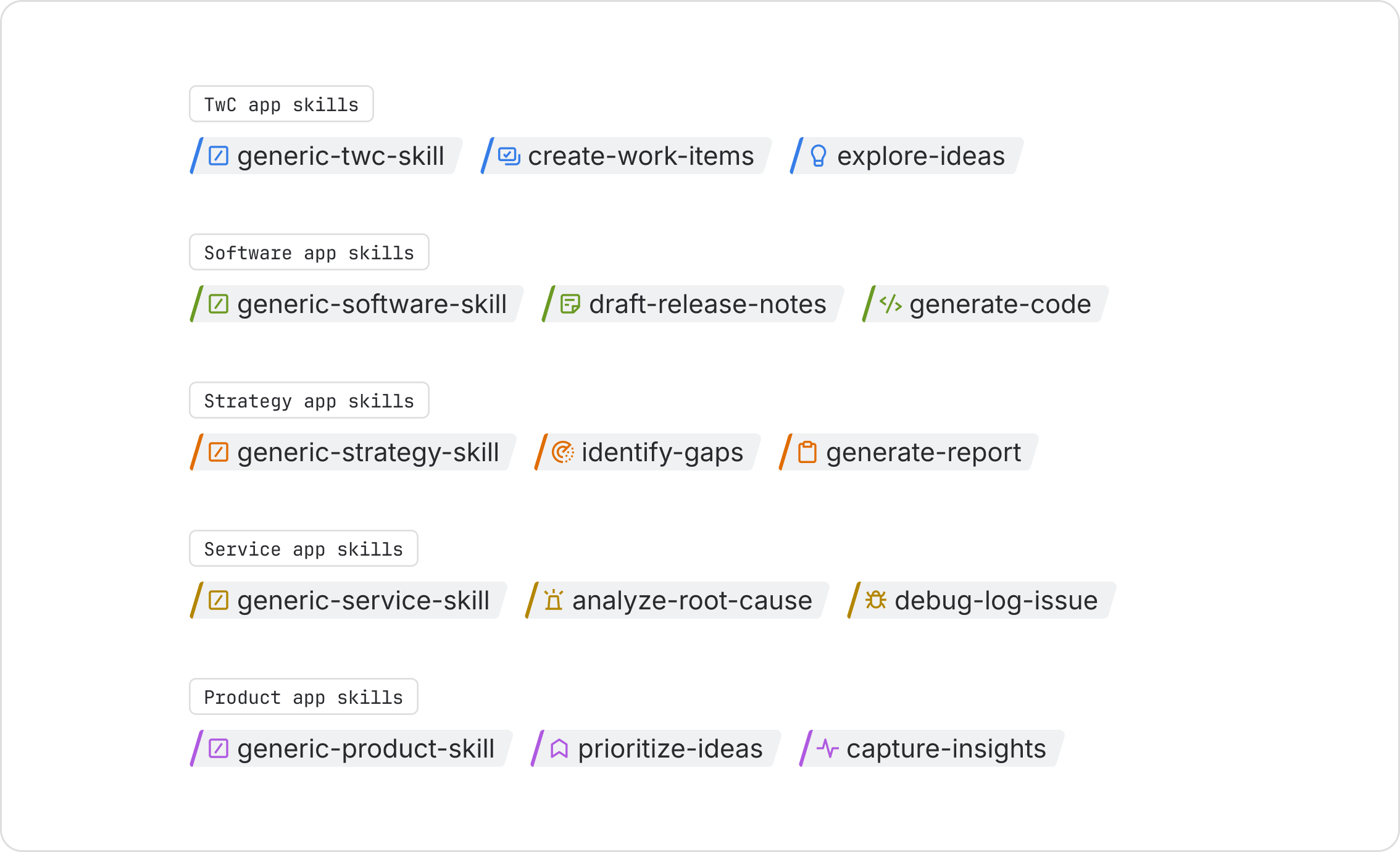
The primary visual identifier for a Rovo skill.The skills tag (Atlassian only) is the primary visual identifier for a Rovo skill across Atlassian apps. Use the skills tag to give people direct access to specific AI capabilities. Unlike general prompts, skills let people choose the exact action they want instead of leaving it up to Rovo.
Parts
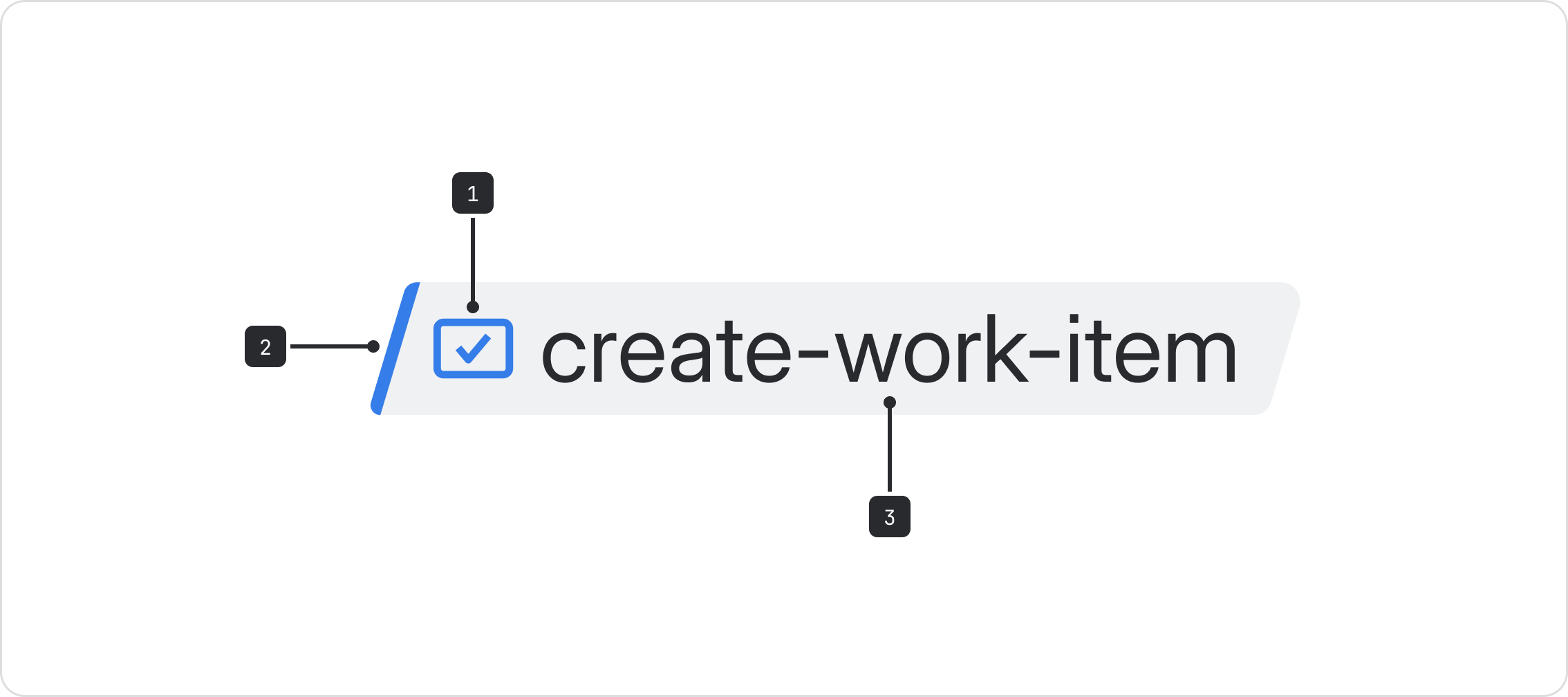
- iconBefore: The icon or app logo representing the skill.
- Border: The border color helps communicate what collection a skill belongs to.
- Label: The name of the skill.
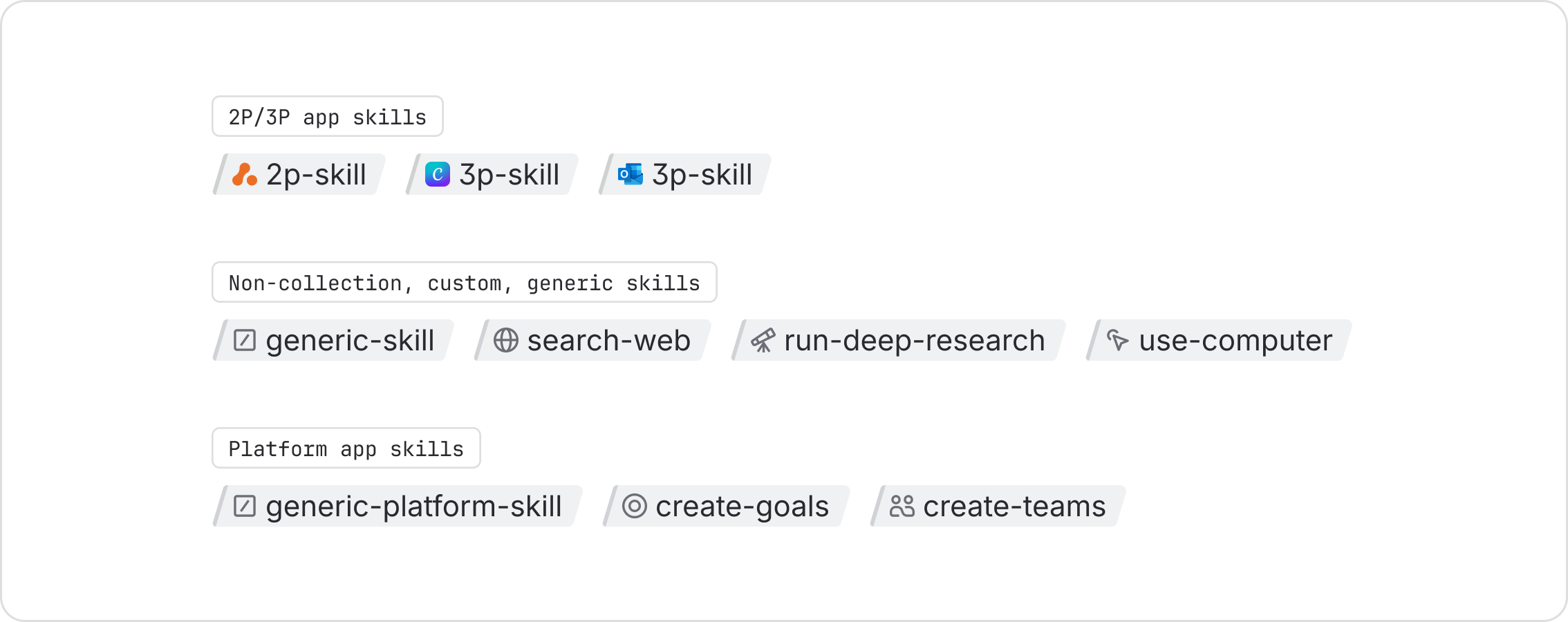
Use the neutral skills tag for second-party and third-party (2P/3P) apps, all non-collection or platform apps, and generic or custom skills.
Use a colored skills tag for skills that belong to a collection, and match the color to that collection:
- Blue: Teamwork
- Lime: Software
- Orange: Strategy
- Yellow: Service
- Purple: Product